Marbell …/gate hero
Gate
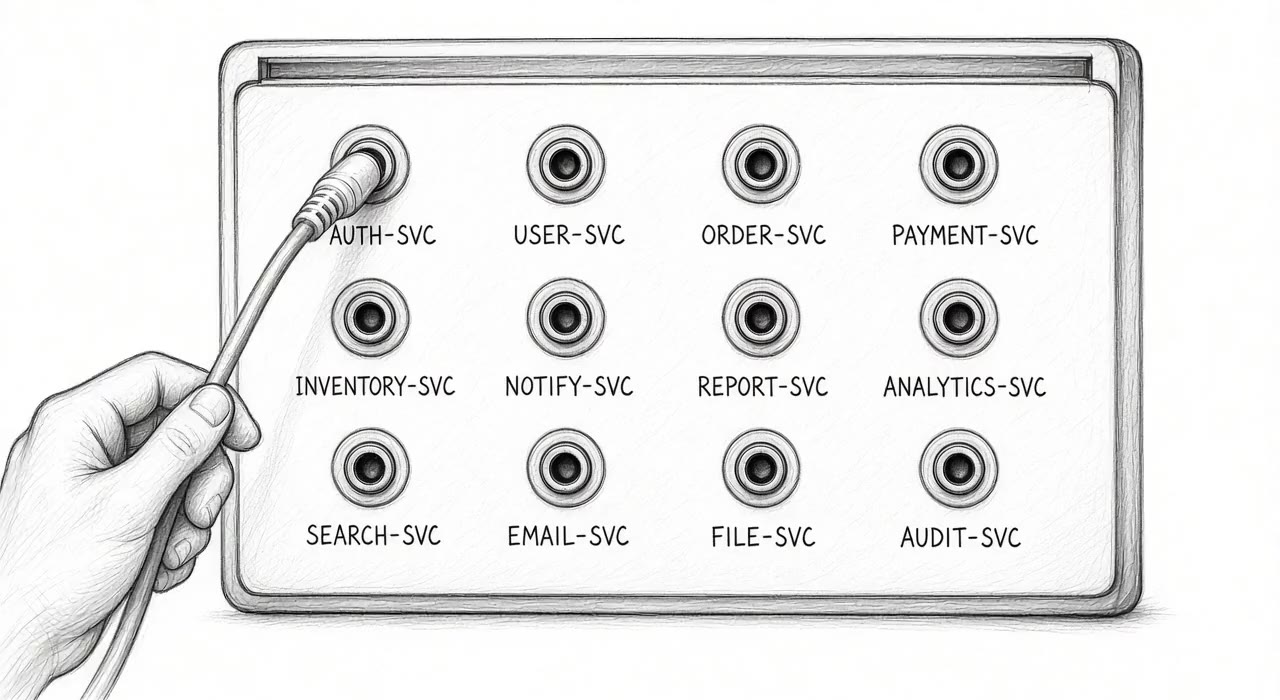
Gate is our access gateway for people and AI agents, and it logs every decision before it grants access.
Every request, whether it comes from a person or an agent, is checked against your identity provider and a written policy, and access comes as a short-lived certificate for that resource. You list the resources Gate protects, and a request for anything else, such as an unlisted SSH host or AI tool server (MCP), is refused before any rule is even read.
The Connector inside your network dials out and accepts no inbound connections, so you don't open a firewall port toward your resources.
A request routed through Gate
Who handles the request at each stage, and what follows when it is allowed or denied.
- Person or agent
- Signs in and asks for a resource
- Proxy
- Receives the request
- Authority
- Checks identity and policy
- Audit log
- Decision stored before access is issued
Allowed
Connector reaches the resource
With a short-lived certificate for that resource
Denied
Request stops
The resource is not contacted
Gate at a glance
- Hosting
- Your servers or Marbell Cloud. Services run on Linux and Windows.
- Sign-in
- Your identity provider, through the OpenID Connect sign-in standard
- Policy
- Written rules; nothing is allowed without a rule
- Access
- Short-lived certificates scoped to a resource
- Agents
- Delegated by a person, or declared by an operator
- Audit
- A log that shows whether any record was altered
Marbell …/gate resources 01
Resources
Resources
Your people keep using ssh, psql, kubectl or their browser, with a Gate client running beside them. If the deployment offers a browser entry, web applications need nothing installed at all. Seven of the nine resource kinds get decisions inside the session, which means someone allowed to connect to a cluster can still be held to the commands the rules allow.
Resource
Resource kinds in the Gate catalogue with their clients. The other columns show where Gate decides.
Gate decides again for each request inside the session
Resource
01
SSH hosts
OpenSSH, SFTP
- When the session opens
- Policy decides connect. The whole session is recorded.
- Inside the session
- Each port forward and agent-forwarding channel is checked twice.
Detail
- A forward must match the host's own allow list and a Cedar rule. With no list entries, local forwards are limited to loopback and remote forwards are disabled.
- Agent forwarding is off by default. Session recordings use the asciicast v2 format.
- The Connector can act as the SSH server itself or as a jump host. As a jump host it presents a certificate that Authority signs per connection.
Resource
02
Databases
PostgreSQL and MySQL with psql or mysql. CockroachDB is also supported.
- When the session opens
- Connect is decided when the local relay opens.
- Inside the session
- In restricted mode, each statement is decided by category.
Detail
- A denied statement returns an error to the client.
- An unrestricted session is not checked per statement. It still records the query log.
- A denied database fails before any connection to the backend is made.
Resource
03
Kubernetes clusters
kubectl 1.30 or newer
- When the session opens
- Each kubectl call receives a short-lived credential.
- Inside the session
- Each API request is decided on its verb and its target.
Detail
What a rule can match
- verb
- resource kind
- namespace
- name
- subresource
- A denied request returns 403 before it reaches the cluster.
- Port forwarding is refused unless the backend enables it. When enabled, it is audited as an opaque byte stream.
- Exec and attach sessions can be recorded.
Resource
04
Web applications
A browser, through a local address or a browser entry with nothing installed
- When the session opens
- Policy decides connect for the local address or the browser entry.
- Inside the session
- Each request is decided by the route it matches.
Detail
- A 403 from Gate is a route denial. Any other 403 comes from the application.
- The application receives the caller's credentials unchanged unless the backend is configured to substitute an identity.
- The resident client can serve an application under its own name.
Resource
05
Web egress
Any HTTP client, through its proxy setting
- When the session opens
- Policy decides connect. Only public internet addresses are dialled.
- Inside the session
- Each request is decided by the target it names.
Detail
- Web egress is a forward proxy to outside destinations.
- Private and other special-purpose ranges are refused, including loopback and cloud metadata addresses.
- An HTTPS tunnel is decided on its host and port.
Resource
06
MCP servers
MCP clients, with a local bridge for clients that only support local (stdio) servers
- When the session opens
- Policy decides connect. A static list of allowed tools also applies.
- Inside the session
- The tool list is filtered per identity. Each tool call is decided when per-tool policy is on.
Detail
- Resource reads and prompt requests are decided the same way as tool calls.
- The static tool list applies with or without per-tool policy. An operator can mark a tool as destructive for rules to use.
- A denial is returned as a JSON-RPC error and the server is not called.
Resource
07
Model services
Model clients over HTTP
- When the session opens
- No session opens. Each call is decided on its own.
- Inside the session
- Each call is decided by model before it reaches the provider.
Detail
- The audit row carries the model and the token counts.
- When the Connector substitutes the provider credential, the client never receives the key.
- A rule that forbids a model overrides a rule that permits its service.
Resource
08
Windows desktops
mstsc on Windows, xfreerdp on Linux
- When the session opens
- Connect is decided. The rule also sets the Windows account and the allowed channels.
- Inside the session
- No further decisions are made inside the session.
Detail
- The local listener issues a username and password for the RDP client. They are not a Windows account and stop working when the command exits.
- When the Connector signs in to Windows itself, the user never receives the Windows password.
- An account the policy does not allow is refused before Windows is contacted.
Resource
09
TCP services
Any TCP client, for example redis-cli
- When the session opens
- Policy decides connect. Byte counts are audited.
- Inside the session
- Gate relays the bytes without reading the protocol.
Detail
- A denied connect fails before the backend is dialled.
- The documentation's compatibility record lists Redis 7 as tested.
Marbell …/gate architecture 02
Architecture
Architecture
Gate is four services. The Connector sits beside your resources and opens a tunnel out to the Proxy, and sessions reach your network through that tunnel without any inbound route. Authority makes every decision and has no network route to your resources at all.
Gate's services and the direction of each connection
Three zones. The client in the edge zone connects to the Proxy in the control zone. The Connector and the Agent host in the protected zone connect outward to the Proxy and to Authority. Nothing connects into the protected zone.
- Client
- Runs beside the user's usual tools
- Identity provider
- OpenID Connect sign-in
- Proxy
- Public entry point. Keeps no durable state.
- Authority
- Holds the access rules and the audit log. It also issues certificates.
- State store
- PostgreSQL in production
- Connector
- Reaches the resources from inside your network
- Agent host
- Runs declared agents in restricted processes. Their sessions go through the Proxy.
- Resources
- SSH
- Databases
- Kubernetes
- Web
- MCP
- Models
- Desktops
- TCP
Gate's services and the direction of each connection
- Client → Proxy
- Encrypted (TLS)
- Proxy → Authority
- Mutual TLS
- Connector → Proxy
- Outbound tunnel
- Connector → Authority
- Decisions inside a session
- Agent host → Authority
- Agent declarations and identities
Arrows point from the side that opens the connection.
Architecture
01
Authority
Evaluates the access rules and verifies sign-in tokens. It issues short-lived certificates and writes the audit log.
Architecture
02
Proxy
Accepts the encrypted connection from the client and forwards each access request to Authority. It relays an allowed session to the right Connector.
Architecture
03
Connector
Runs next to the protected resources. Every user session arrives over the tunnel it opens to the Proxy, and it asks Authority for decisions inside the session.
Architecture
04
Agent host
Runs agents declared on Authority, each under its own identity. Each agent runs inside a cage, the Gate term for operating-system limits on its files and network. The cage also limits the processes it can start. Declared agents run on Linux only.
How a request moves
The five steps from sign-in to the connection, and the traffic Gate does not control.
- The user signs in with your identity provider and receives an identity token.
- The client asks the Proxy for a named resource. The Proxy passes the request to Authority.
- Authority verifies the token and evaluates the policy. On allow, it stores the decision in the audit log and issues a certificate scoped to that resource.
- The Proxy relays the session over the tunnel of the Connector that serves the resource. The Connector checks the certificate and connects.
- Where a resource kind has decisions inside the session, the Connector asks Authority again for each request.
Out of scope
Gate controls traffic routed through it. That's why the proof in a Marbell pilot includes the direct route to the backend, which must fail, and why section 07 lists the routes that go around the gateway.
Architecture
01
How the tunnel is carried
The tunnel uses gRPC by default, with WebSocket as a fallback. It can pass through an HTTP CONNECT proxy where your network requires a proxy for outbound traffic.
The protected zone needs outbound access to the Proxy and no inbound firewall rules. A Connector can reach Authority directly or only through the Proxy.
Architecture
02
Certificates and how nodes join
Authority holds four certificate authorities. Private keys stay with Authority, so a Connector acting as an SSH jump host does not hold the signing key.
A new Proxy or Connector joins with a single-use token from an operator. It keeps its identity across restarts.
Architecture
03
What a resource request needs before policy runs
A request for a resource that is not in the catalogue is refused before policy is evaluated.
Resources are listed in Authority's configuration with an environment and labels, which policy can read. A Connector can also publish the databases and MCP tools behind it. A published listing does not grant access.
Marbell …/gate agents 03
Agents
Agents
A person can hand an agent part of their own access for a limited time, or an operator can declare a long-running agent with an identity of its own. Either way, the agent reaches resources through local addresses that Gate provides, and it never holds a password or key for the database or API it's working on.
A capability names an access type and an action on a resource. For example, db:read@prod-pg keeps an agent read-only on that database whatever else the rules allow.
The two agent modes compared
Agents
01
Delegated by a person
- Who sets it up
- The person, for their own program
- Identity
- The person's grant. Actions are attributed to the agent and the person.
- Lifetime
- Until the grant's time limit, or until the program exits
- Rights
- Named capabilities that the person's own policy must allow
- Reachable by others
- No
- Where it runs
- The client host, on Linux or Windows
Agents
02
Declared by an operator
- Who sets it up
- An operator, on Authority
- Identity
- The agent's own identity, named in policy and in the audit log
- Lifetime
- Until removed. The host renews its access on a lease while it runs.
- Rights
- Listed capabilities, then policy on every call
- Reachable by others
- Through endpoints it publishes to the catalogue:
- console
- web page
- model API
- MCP tools
- TCP stream
- Where it runs
- A Linux agent host
Agents
01
Containment: the three sandbox levels
A delegated run chooses a sandbox level. Declared agents run at the strict level by default.
- none
- The program runs as the user with the host network. It is not contained.
- basic
- Linux: Landlock with network and PID namespaces. Windows: an AppContainer with no network capability and a Job object.
- strict
- Adds a system-call filter and cgroup limits on Linux.
Under basic and strict the program can reach only the endpoints of its run, and it ends when the run ends.
Agents
02
Model calls through the gateway
In gateway mode, each model call goes to a model resource and is decided by model before it reaches the provider. The decision and the token counts are recorded.
In gateway mode, the Connector holds the provider key, so the agent never sees it. A direct model channel is refused under the basic and strict sandboxes.
Agents
03
An agent acting for the visitor
A declared agent can publish a web page that passes it a signed statement of the visitor. When the agent forwards that statement, the call is allowed only if the agent and the visitor are both allowed.
The audit row names the visitor as the owner, for model, MCP, web and Kubernetes calls alike.
Agents
04
Revocation and when a person leaves
The grant is read on each operation. After a revoke or expiry, the agent's next request is denied.
Revoking by owner invalidates every grant a person issued before that moment. The documentation recommends this step when de-provisioning a person.
Marbell …/gate policy 04
Policy and sign-in
Policy and sign-in
Rules are written in Cedar, a policy language, and until a policy is loaded Authority denies everything. The groups in your sign-in token become groups in the rules, and a rule can also read a resource's labels, such as the team that owns it. That way you grant access per group and environment instead of per person.
If someone pushes a change based on an outdated copy of the policy, Gate refuses it and the previous policy stays active.
- Approval
- A rule can require approvers before access. The count can be set per resource or per environment, with a global default.
- Step-up
- A passkey or an authenticator-app code (TOTP) allows a single further request for a named action on a named resource.
Example policy from the Gate documentation
Analysts can see and connect to development databases, and may only run read statements there.
permit (principal in Group::"analysts",
        action == Action::"view",
        resource is Database)
when { resource.environment == "dev" };
permit (principal in Group::"analysts",
        action == Action::"connect",
        resource is Database)
when { resource.environment == "dev" };
permit (principal in Group::"analysts",
        action == Action::"dbQuery",
        resource is Database)
when {
  resource.environment == "dev" &&
  context.sql_category == "read"
};
Policy and sign-in
01
Sign-in and identity providers
Sign-in uses OpenID Connect with a device code or a browser flow. Authority accepts only asymmetric signing and refuses HMAC-signed tokens.
The documentation records tests with Keycloak 26.0. Multi-factor authentication at sign-in is handled by your identity provider.
Policy and sign-in
02
Identities for CI jobs and services
A CI job or service can hold its own certificate, authorized by the same policy as a person. It starts from a GitLab CI token or a provision token from an administrator.
Its certificates live for minutes. It can record the person it acts for as its owner.
Policy and sign-in
03
Changing the policy safely
A policy change is validated against the schema shipped with Gate before it is pushed. The documentation has a second owner review the diff.
Every accepted policy keeps a narrowly scoped break-glass rule. A change that removes it is rejected.
Marbell …/gate audit 05
Audit log
Audit log
Gate writes every decision to the audit log, and the log shows whether any record was altered. Each record carries a fingerprint (hash) of the record before it, so changing a record breaks the chain. Checkpoints are sealed with a key held outside the database, so even someone who rebuilds the whole log from scratch fails verification. And since a grant isn't issued until its record is stored, every certificate Gate hands out already has its audit row.
What a record names
- Principal
- Who made the request. Agents and workloads have their own principals, like people.
- Resource kind
- For example a database or an MCP server
- Action
- For example connect or dbQuery
- Outcome
- Allow or deny at decision time. Success or failure when the work ends.
- Session or request ID
- Links the rows of a session from open to close
- Owner
- The person behind a delegated or visitor call
Structure of the chain
- Record
- hash Record
- hash Record
- Checkpoint sealed with an external key
Three records in a row. Each record carries the hash of the record before it. The latest checkpoint is sealed with a key held outside the database.
An allowed row records permission to proceed and a denied row records a decision, not a contact with the backend, so if you need proof that the work itself succeeded, that evidence comes from the target system's own logs.
Audit log
01
Export and monitoring
Export formats
- JSON lines
- Splunk HEC
- CEF over syslog
Each service has its own health endpoint. A Connector can report ready before its tunnel reaches Authority, so both are checked. OpenTelemetry traces are optional.
In Marbell deployments, audit exports are kept for 12 months unless your log policy requires longer.
Audit log
02
Session recordings and query logs
SSH sessions and Kubernetes exec or attach sessions are recorded as asciicast v2. Recordings stay on the Connector or are delivered to Authority, and each is referenced by a digest in the chain.
Keystroke capture is off by default. Database sessions keep a query log.
Audit log
03
Live sessions and verification
Operators can list live sessions and end them. Each termination is authorized by policy and audited.
A verifier replays the chain and checks each sealed checkpoint. It can also run on a schedule inside Authority.
Marbell …/gate deployment 06
Deployment
Deployment
In production we run Gate as separate services. The single-process build is there for development and small sites. Builds come from the administrator of your deployment rather than a public download, so you always know which signed release is running. The single-process build also lets your team try the whole gateway on a single machine before production.
Deployment
How the single-process shape and the separate-services shape differ, and which runs in production.
Single process
All services in a single process
Every role runs over a shared state store. The documentation places this shape for development and small single-node sites. An external Connector can still join it.
Separate services
All four services as separate processes
The services run as separate processes. They connect over mutual TLS, where both sides present a certificate. This is the production shape, and several Authority instances can share the state store for failover.
Deployment
01
Platforms and install forms
- Linux
- An x86_64 static binary. Each role runs as a systemd unit.
- Windows
- The client installs from an .msi. Roles run as Windows services. Declared agents need a Linux agent host.
- Containers
- A container image, with a recipe for running Authority and Proxy in Kubernetes
- State store
- PostgreSQL in production, SQLite in development
Deployment
02
High availability
Standby Authority instances take over when the leader stops renewing its lease. The default takeover time is 15 seconds.
Failover is the only purpose. Writes do not scale across instances.
Deployment
03
Checking a release before you deploy it
Releases are signed and ship with checksums and a software bill of materials (SBOM). The release channels also pass a reproducibility check.
The documentation stops a deployment on a missing signature or a mismatched SBOM. We run signed release builds in production, not release candidates.
Marbell …/gate limits 07
Limits
Limits
- A process with its own route or backend credential bypasses the gateway.
- An agent run without a sandbox can call a model or a backend directly. Gate does not see that traffic. ↗
- The basic and strict sandboxes are host controls. They are not a virtual machine or a kernel-exploit boundary. ↗
- Declared agents run on a Linux agent host. A delegated run can use a Linux or Windows client host. ↗
- Standby Authority instances provide failover. They do not add write capacity. ↗
- Model prompts and answers are kept according to the configured recording policy. Token counts are always recorded. ↗
Marbell …/gate marbell 08
Gate in a Marbell project
Gate in a Marbell project
In a pilot, we put a single access path behind Gate first and prove an allowed and a denied request before anything else joins.
When the agent runs inside your own network, Gate is optional. We add it when your security team wants a policy decision and an audit row for every request the agent makes. On Marbell Cloud it's different: the Gate Connector's outbound tunnel is how the agent reaches your internal systems, so a Marbell Cloud deployment that touches internal systems includes the Connector.
The audit records feed the SIEM you already run, through Splunk HEC or CEF over syslog, so Gate shows up in the tools your team already watches rather than in a new console.
How we deploy Gate
01
How we deploy Gate
Which path goes behind Gate first, how we prove it, where Gate is hosted and who operates it.
- First path
- Usually the agent's route to your ERP database or the internal API it calls most. More resources join the catalogue once that path is proven.
- Proof
- Besides the allowed and denied requests, we test the direct route to the backend, which must fail. Each check leaves an audit row you can show your auditors.
- Hosting
- Authority and the Proxy run on your servers or on Marbell Cloud in Switzerland. The Connector always runs inside your network.
- Operation
- We operate Gate during the pilot. For 30 days after release, the engineers who built the deployment handle its incidents. When your team takes over, you get the Gate runbook and the policy repository with the handover pack, and we can stay on as second-line support.
How we deploy Gate
02
Who holds the audit anchor key, the support hours and response times, and how Gate is priced.
- Keys
- You hold the external audit anchor key, and we never keep the only copy.
- Support
- Support runs Monday to Friday, 08:00 to 18:00 Swiss time, in German and English. A critical incident gets a first response within 4 business hours, and other requests within 1 business day.
- Price
- We quote Gate inside the project offer. After the pilot it carries a yearly licence and support fee per deployment.
Decisions a Gate deployment needs
- Which resources enter the catalogue, and which Connector serves each. A resource outside the catalogue is refused before policy runs.
- Which identity-provider groups may reach each resource, and with which actions
- Which agents are delegated by a person, and which are declared on a Linux agent host
- Who reviews a policy diff before it is pushed. The documentation asks for a second owner.
- Whether session recordings stay on the Connector host or are delivered to Authority
- Whether keystroke capture is on. It is off by default, and when on it stores passwords typed at hidden prompts in plain text.
- Which allowed request and which denied request prove the setup, with their audit rows
Tell us which systems the agent has to reach, such as your CRM, Grafana or an internal API, and an engineer replies within 24 business hours with the access path we would put behind Gate first.